Find files, editable templates and browser test targets by what you need to make or test. The directory below is cut by format; the two collections under it cut the same library by subject and by workflow.
Standard subtitles and SDH (Subtitles for the Deaf and Hard of Hearing) as two separate English tracks, distinguished only by the `hearing_impaired` disposition. The SDH track adds the non-speech information a deaf viewer would otherwise lose (the tone that is playing, the marker that is moving) in square brackets above each line.
Because both tracks are tagged `eng`, any picker that keys on language alone shows two identical-looking entries. That is exactly the bug this file exists to surface: the flag is the only thing that separates them, and it is the thing most often dropped in a remux.
An ASS subtitle track that carries its own styling: two named styles, alternating cue by cue, one bottom-centred and one top-centred in italic teal. ASS is the only widely-used soft subtitle format that survives a remux with its positioning and colour intact.
The useful test is what happens on the way out. Convert this to SubRip or to WebVTT and the styling is silently discarded: the cues remain, so the conversion reports success while half the information is gone. Converting to MP4 is worse still: mov_text keeps neither the styles nor the positions.
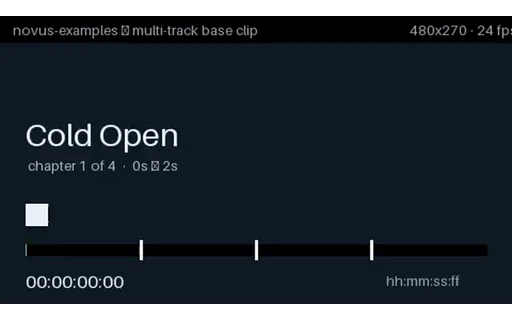
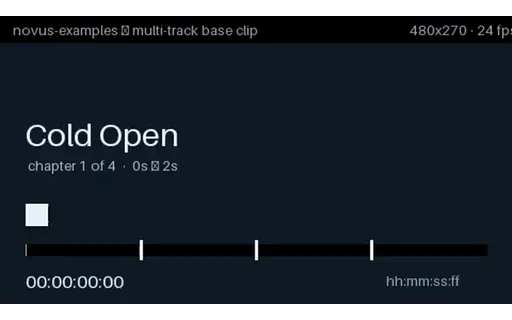
One MKV carrying three soft subtitle tracks (English, Spanish and Japanese), each with a real ISO 639-2 language tag and a human track title, and English flagged as the default. Every cue names its own second and its own chapter, and the picture burns in a matching timecode, so you can confirm the right track is displaying without trusting the player's own menu labels.
Single-track sample files never exercise the code that actually breaks: track enumeration, language-tag mapping and default selection. This is the smallest file that does.
Two soft subtitle tracks inside an MP4, in mov_text: the 3GPP Timed Text format that is the only subtitle codec MP4 officially carries. Safari and QuickTime read these natively; most other browsers ignore them entirely and expect a sidecar WebVTT track instead, which is the single most common reason subtitles appear on an iPhone and nowhere else.
Compare with the MKV in this group: the cue text is identical, but mov_text drops all styling and positioning, so this is also the file to test a lossy subtitle conversion against.
Everything this phase covers in one file: two audio languages, three subtitle tracks including SDH, four chapters, an attached cover image and container tags, with every language tag and disposition set correctly.
This is the integration test. The individual fixtures in the other groups isolate one variable each, which is what you want when something breaks; this is what you point a player, a track picker or a transcoder at first, because a pipeline that handles it handles all of them. Round-trip it through your tool and diff the track list: dropped dispositions, collapsed languages and vanished attachments all show up immediately.
The same package rebuilt inside MP4, which is the interesting part: MP4 cannot carry all of it. The SDH subtitle track is gone because MP4 has no hearing-impaired flag, the attachment becomes cover art as a second video stream, per-track titles have no home, and the subtitles are mov_text with the styling stripped.
Diff this against the MKV in the same group and you have a concrete, byte-level answer to 'what do I lose converting to MP4?', which is normally something people find out after shipping.
A second subtitle track that is properly declared, correctly language-tagged, and contains no cues at all. This is what an incomplete localisation looks like in a real library: the track exists so the menu offers Spanish, and choosing it produces silence.
Track enumeration finds it. Language listing finds it. Only counting the cues finds the problem, which is why 'does this file have Spanish subtitles?' is the wrong question and 'does the Spanish track have any content?' is the right one.
Eight subtitle tracks across four writing systems, including right-to-left Arabic, each with its own language tag and a track title in its own script.
Two things break here that never break with two tracks. Track-picker UI: eight entries is where a fixed-height menu, a truncating label or a hardcoded array bound starts to show. And text rendering: the track titles themselves are non-Latin, so a picker that draws labels with a Latin-only font produces a menu of empty boxes even though every track is perfectly valid.
Two subtitle tracks whose language tags are swapped: the track tagged `fra` contains English cues and the one tagged `eng` contains French. Nothing about the file is malformed: every byte validates, every tag is a legal ISO 639-2 code.
This is the failure no schema check can catch and no player can warn about. Selecting French gives you English, and the only way to detect it is to read the cue text and run language identification on it. If you are building QC for a subtitle library, this is the case worth having a fixture for, because it is common and it is invisible.
Three subtitle tracks and not one of them flagged default. Matroska permits this and players disagree completely about what to do: some pick the first track, some pick by system language, some show nothing at all and leave the viewer to find the menu.
There is no right answer to assert here: the value is that the disagreement is reproducible. If your player picks a track, this file tells you which rule it is using.
Two subtitle tracks both carrying the default flag, which the specification does not forbid and which sloppy muxing produces constantly, usually by copying dispositions wholesale between files.
First-wins and last-wins are both common implementations, so the same file starts in English on one player and Spanish on another with nothing visibly wrong. Hard to diagnose from a bug report, trivial to reproduce with this.
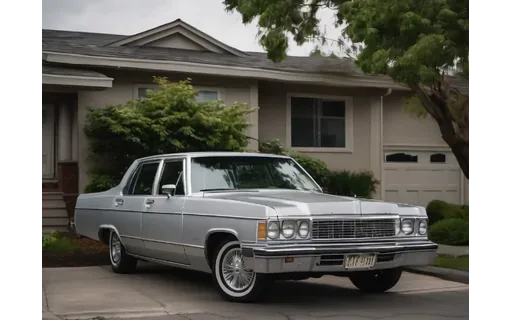
A 2.0 second 640x480 H.264 clip at 24 fps, 49 frames. Animated from the still nss-v-car-sedan_00001_.png, so the first frame is a known image and frame extraction can be checked against it. Measured mean inter-frame change 0.0342 (moderate). Clear movement without a scene change, which is the ordinary case for short footage. Synthetic footage: two seconds at this size is a decoder and pipeline fixture rather than showcase material, hands degrade in later frames, and no text in shot is legible.
10-bit 4:2:0 HEVC. Ten bits per component gives 1024 levels instead of 256, which is what removes banding from smooth gradients. Now the norm for HDR and for high-quality SDR encodes. Shipped in Matroska rather than MP4 on purpose: an exotic pixel format in an .mp4 would be advertised as browser-playable and then fail to decode. Every clip in this group is the same picture, so the pixel format is the only variable.
10-bit 4:2:2 HEVC. The professional acquisition and mezzanine format, enough chroma for keying and enough bit depth for grading. Shipped in Matroska rather than MP4 on purpose: an exotic pixel format in an .mp4 would be advertised as browser-playable and then fail to decode. Every clip in this group is the same picture, so the pixel format is the only variable.
10-bit 4:4:4 HEVC. Full chroma at 10 bits. Effectively an intermediate format only; almost nothing decodes it in hardware. Shipped in Matroska rather than MP4 on purpose: an exotic pixel format in an .mp4 would be advertised as browser-playable and then fail to decode. Every clip in this group is the same picture, so the pixel format is the only variable.
12-bit 4:2:0 HEVC. Twelve bits, at the top of what HEVC's Main 12 profile supports. Cinema and scientific capture; included as the limit case that finds decoders which silently truncate to 8 bits. Shipped in Matroska rather than MP4 on purpose: an exotic pixel format in an .mp4 would be advertised as browser-playable and then fail to decode. Every clip in this group is the same picture, so the pixel format is the only variable.
8-bit 4:2:0 HEVC. The universal delivery format. Chroma is stored at quarter resolution, which is invisible on photographic content and very visible on saturated text and thin graphic edges. Shipped in Matroska rather than MP4 on purpose: an exotic pixel format in an .mp4 would be advertised as browser-playable and then fail to decode. Every clip in this group is the same picture, so the pixel format is the only variable.
8-bit 4:2:2 HEVC. Chroma at half horizontal resolution: the broadcast and mezzanine standard. Survives one round of chroma keying and colour correction far better than 4:2:0. Shipped in Matroska rather than MP4 on purpose: an exotic pixel format in an .mp4 would be advertised as browser-playable and then fail to decode. Every clip in this group is the same picture, so the pixel format is the only variable.
8-bit 4:4:4 HEVC. No chroma subsampling at all. Necessary for screen content and graphics, and the only format where coloured text stays clean, but unsupported by most hardware decoders. Shipped in Matroska rather than MP4 on purpose: an exotic pixel format in an .mp4 would be advertised as browser-playable and then fail to decode. Every clip in this group is the same picture, so the pixel format is the only variable.
A 2.0 second 640x480 H.264 clip at 24 fps, 49 frames. Animated from the still nss-owner-restaurant_00001_.png, so the first frame is a known image and frame extraction can be checked against it. Measured mean inter-frame change 0.0148 (subtle). Motion is deliberate but slight, closer to a living photograph than to action. Synthetic footage: two seconds at this size is a decoder and pipeline fixture rather than showcase material, hands degrade in later frames, and no text in shot is legible.
A 180-degree rotation carried in the container's display matrix while the coded pixels stay in their original orientation, exactly what a phone writes when you record holding it sideways. A player that ignores the matrix shows it upside down. Thumbnailers and transcoders that read dimensions from the video stream rather than the display matrix get this wrong constantly.
A 270-degree rotation carried in the container's display matrix while the coded pixels stay in their original orientation, exactly what a phone writes when you record holding it sideways. A player that ignores the matrix shows this 270x480 clip as 480x270, on its side. Thumbnailers and transcoders that read dimensions from the video stream rather than the display matrix get this wrong constantly.
A 90-degree rotation carried in the container's display matrix while the coded pixels stay in their original orientation, exactly what a phone writes when you record holding it sideways. A player that ignores the matrix shows this 270x480 clip as 480x270, on its side. Thumbnailers and transcoders that read dimensions from the video stream rather than the display matrix get this wrong constantly.