E-commerce Database Schema (SQL)
A relational SQL schema (products, customers, orders with primary and foreign keys) plus sample INSERTs: the DDL twin of the e-commerce dataset, for testing schema import and migrations.
-- Novus Examples — sample e-commerce database (SQLite/PostgreSQL compatible)
CREATE TABLE products (
  product_id INTEGER PRIMARY KEY, sku TEXT, name TEXT,
  category TEXT, price REAL, stock INTEGER, rating REAL
);
CREATE TABLE customers (
  customer_id INTEGER PRIMARY KEY, name TEXT, email TEXT,
  city TEXT, country TEXT, signup_date DATE
);
CREATE TABLE orders (
  order_id INTEGER PRIMARY KEY, customer_id INTEGER, product_id INTEGER,
  quantity INTEGER, total REAL, status TEXT, order_date DATE,
  FOREIGN KEY (customer_id) REFERENCES customers(customer_id),
  FOREIGN KEY (product_id) REFERENCES products(product_id)
);

-- Sample rows (first 25 of each table; full data in the CSV/JSON/Parquet twins)
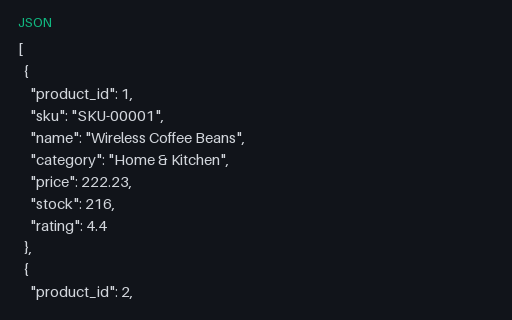
INSERT INTO products (product_id, sku, name, category, price, stock, rating) VALUES (1, 'SKU-00001', 'Wireless Coffee Beans', 'Home & Kitchen', 222.23, 216, 4.4);
INSERT INTO products (product_id, sku, name, category, price, stock, rating) VALUES (2, 'SKU-00002', 'Deluxe Notebook', 'Books', 487.92, 47, 4.5);
INSERT INTO products (product_id, sku, name, category, price, stock, rating) VALUES (3, 'SKU-00003', 'Classic Coffee Beans', 'Clothing', 68.41, 419, 3.7);
INSERT INTO products (product_id, sku, name, category, price, stock, rating) VALUES (4, 'SKU-00004', 'Ergonomic Blender', 'Sports', 323.7, 463, 4.6);
INSERT INTO products (product_id, sku, name, category, price, stock, rating) VALUES (5, 'SKU-00005', 'Stainless Yoga Mat', 'Toys', 117.47, 46, 3.1);
INSERT INTO products (product_id, sku, name, category, price, stock, rating) VALUES (6, 'SKU-00006', 'Stainless Desk Lamp', 'Beauty', 317.66, 413, 4.5);
INSERT INTO products (product_id, sku, name, category, price, stock, rating) VALUES (7, 'SKU-00007', 'Classic T-Shirt', 'Grocery', 485.49, 222, 4.6);
INSERT INTO products (product_id, sku, name, category, price, stock, rating) VALUES (8, 'SKU-00008', 'Deluxe Coffee Beans', 'Electronics', 236.02, 97, 3.1);
INSERT INTO products (product_id, sku, name, category, price, stock, rating) VALUES (9, 'SKU-00009', 'Stainless Blender', 'Home & Kitchen', 343.1, 461, 4.9);
INSERT INTO products (product_id, sku, name, category, price, stock, rating) VALUES (10, 'SKU-00010', 'Classic Yoga Mat', 'Books', 188.37, 162, 3.9);
INSERT INTO products (product_id, sku, name, category, price, stock, rating) VALUES (11, 'SKU-00011', 'Classic Blender', 'Clothing', 69.3, 343, 3.5);
INSERT INTO products (product_id, sku, name, category, price, stock, rating) VALUES (12, 'SKU-00012', 'Ergonomic Building Blocks', 'Sports', 221.38, 334, 4.7);
INSERT INTO products (product_id, sku, name, category, price, stock, rating) VALUES (13, 'SKU-00013', 'Portable Coffee Beans', 'Toys', 159.61, 383, 4.6);
INSERT INTO products (product_id, sku, name, category, price, stock, rating) VALUES (14, 'SKU-00014', 'Deluxe Desk Lamp', 'Beauty', 147.71, 193, 4.4);
INSERT INTO products (product_id, sku, name, category, price, stock, rating) VALUES (15, 'SKU-00015', 'Portable Blender', 'Grocery', 103.94, 402, 4.6);
INSERT INTO products (product_id, sku, name, category, price, stock, rating) VALUES (16, 'SKU-00016', 'Wireless Coffee Beans', 'Electronics', 354.05, 332, 4.6);
INSERT INTO products (product_id, sku, name, category, price, stock, rating) VALUES (17, 'SKU-00017', 'Stainless Yoga Mat', 'Home & Kitchen', 286.52, 18, 3.2);
INSERT INTO products (product_id, sku, name, category, price, stock, rating) VALUES (18, 'SKU-00018', 'Organic Yoga Mat', 'Books', 238.18, 334, 4.1);
INSERT INTO products (product_id, sku, name, category, price, stock, rating) VALUES (19, 'SKU-00019', 'Wireless Coffee Beans', 'Clothing', 319.18, 282, 4.1);
INSERT INTO products (product_id, sku, name, category, price, stock, rating) VALUES (20, 'SKU-00020', 'Stainless Coffee Beans', 'Sports', 20.24, 151, 3.9);
INSERT INTO products (product_id, sku, name, category, price, stock, rating) VALUES (21, 'SKU-00021', 'Eco Notebook', 'Toys', 207.21, 496, 3.5);
INSERT INTO products (product_id, sku, name, category, price, stock, rating) VALUES (22, 'SKU-00022', 'Deluxe Desk Lamp', 'Beauty', 144.28, 29, 3.6);
INSERT INTO products (product_id, sku, name, category, price, stock, rating) VALUES (23, 'SKU-00023', 'Ergonomic Face Cream', 'Grocery', 280.72, 252, 4.3);
INSERT INTO products (product_id, sku, name, category, price, stock, rating) VALUES (24, 'SKU-00024', 'Classic Yoga Mat', 'Electronics', 407.93, 203, 3.3);
INSERT INTO products (product_id, sku, name, category, price, stock, rating) VALUES (25, 'SKU-00025', 'Compact Headphones', 'Home & Kitchen', 49.56, 385, 3.9);
INSERT INTO customers (customer_id, name, email, city, country, signup_date) VALUES (1, 'Edward Smith', 'reyespatricia@example.org', 'North Josephhaven', 'CU', '2024-02-16');
INSERT INTO customers (customer_id, name, email, city, country, signup_date) VALUES (2, 'Ryan Rogers', 'michael85@example.net', 'Lake Michelleberg', 'BH', '2023-10-25');
INSERT INTO customers (customer_id, name, email, city, country, signup_date) VALUES (3, 'Maria Brooks', 'michele55@example.com', 'South Katherinefurt', 'GQ', '2024-10-31');
INSERT INTO customers (customer_id, name, email, city, country, signup_date) VALUES (4, 'Paul Smith', 'fcummings@example.net', 'North Grace', 'CO', '2023-02-20');
INSERT INTO customers (customer_id, name, email, city, country, signup_date) VALUES (5, 'Casey Miller', 'peter28@example.org', 'Weaverfurt', 'BY', '2024-06-09');
INSERT INTO customers (customer_id, name, email, city, country, signup_date) VALUES (6, 'William Ewing', 'moorewilliam@example.net', 'Webbmouth', 'FJ', '2025-01-02');
INSERT INTO customers (customer_id, name, email, city, country, signup_date) VALUES (7, 'John Parker', 'hensonsara@example.org', 'Ashleymouth', 'NZ', '2025-12-17');
INSERT INTO customers (customer_id, name, email, city, country, signup_date) VALUES (8, 'Curtis Leon', 'collierlawrence@example.org', 'Juarezport', 'GM', '2025-03-10');Specifications
- Tables
- products, customers, orders
- Constraints
- PK + FK
- Dialect
- SQLite/PostgreSQL
Testing contract
Expected to pass- Scenario
- Exercise E-commerce Database Schema (SQL) in its ecommerce workflow. A relational SQL schema (products, customers, orders with primary and foreign keys) plus sample INSERTs: the DDL twin of the e-commerce dataset, for testing schema import and migrations.
- Expected result
- 92 text lines, decoded as UTF-8; first nonempty line is `-- Novus Examples — sample e-commerce database (SQLite/PostgreSQL compatible)`. Declared feature checks: tables=products, customers, orders; constraints=PK + FK; dialect=SQLite/PostgreSQL.
What is a .sql file?
SQL files contain plain-text Structured Query Language statements, typically schema definitions, data inserts, or queries used to build or populate a database. Dialect details vary between engines such as PostgreSQL, MySQL, and SQLite. A dump file often recreates an entire database when executed.
How to use this file
Use an example SQL file to test statement parsing, database restore and migration tooling, and dialect-compatibility of import pipelines.
How to use this file for testing
“E-commerce Database Schema (SQL)” is a deterministic Testaroo fixture for Data import, Conversion testing. Realistic faker-generated datasets with documented schemas for testing import and ETL flows.
Documented properties for this file: SQL · 12,529 bytes. Compare results against paired or grouped companions on this page when present (clean↔damaged, searchable↔scanned, or format twins) so scores stay reproducible across runs.
Download the file once, keep the path stable in CI or local scripts, and treat the spec table as the contract: dimensions, seeds, field lists, and roles are intentional. Corrupt or invalid samples are labelled as such, expect parsers to fail loudly rather than silently accept them.
Data fixtures document their exact quirks (delimiters, encodings, null handling, schema, and row counts) in the spec table. Point your parser or importer at the file and assert it handles the documented edge cases; clean and deliberately-messy siblings make before/after diffs straightforward.
Code examples
psql mydb < schema.sql          # PostgreSQL
mysql -u user -p mydb < schema.sql  # MySQL
Generated by generation/data_realworld.py. Free for any use, no attribution required, license.
Related files
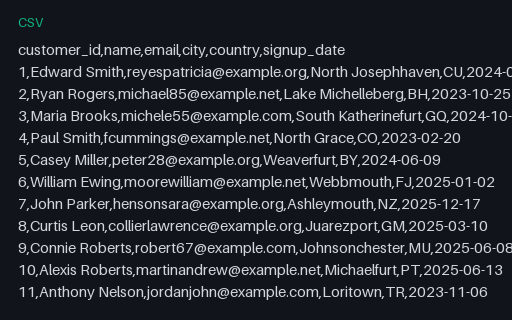
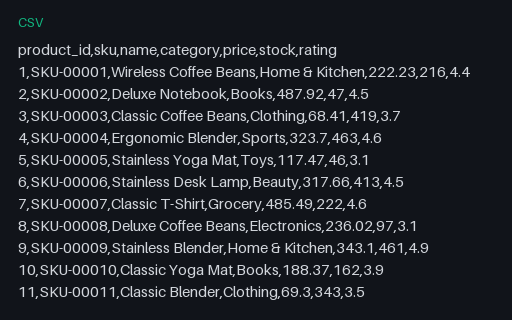
- csvE-commerce Customers (CSV, 500 rows)A realistic e-commerce customer directory (500 rows): part of a relational dataset (products, customers, orders) with CSV, JSON, SQL, and Parquet twins for testing joins, imports, and conversion.
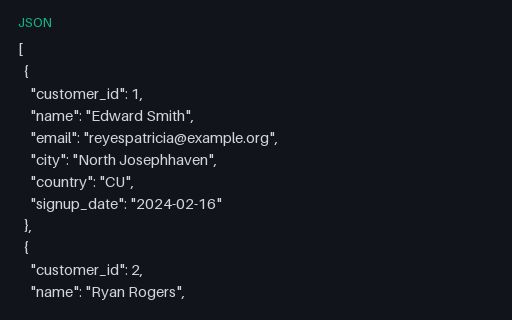
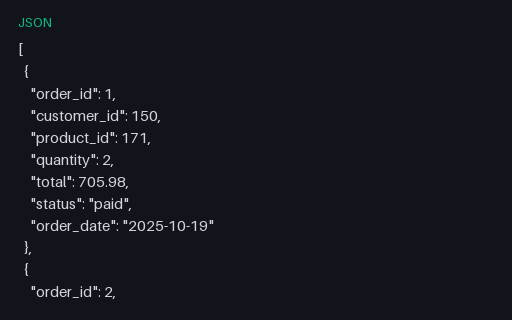
- jsonE-commerce Customers (JSON, 500 records)The e-commerce customers table as a JSON array: the format twin of the CSV, for import and conversion testing.
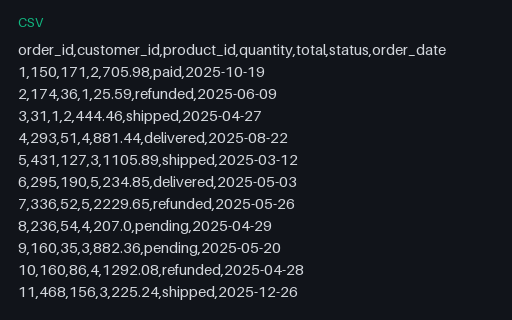
- csvE-commerce Orders (CSV, 2000 rows)A realistic e-commerce order lines (customer_id → customers, product_id → products) (2000 rows): part of a relational dataset (products, customers, orders) with CSV, JSON, SQL, and Parquet twins for testing joins, imports, and conversion.
- jsonE-commerce Orders (JSON, 2000 records)The e-commerce orders table as a JSON array: the format twin of the CSV, for import and conversion testing.
- csvE-commerce Products (CSV, 200 rows)A realistic e-commerce product catalogue (200 rows): part of a relational dataset (products, customers, orders) with CSV, JSON, SQL, and Parquet twins for testing joins, imports, and conversion.
- jsonE-commerce Products (JSON, 200 records)The e-commerce products table as a JSON array: the format twin of the CSV, for import and conversion testing.