VTT: X-TIMESTAMP-MAP for HLS Sync
A WebVTT segment carrying X-TIMESTAMP-MAP, the header HLS uses to align caption times with the MPEG-TS presentation clock. Cue times are relative to the map rather than to the file, so a player that ignores the header renders every caption ten seconds early. Invisible in a text editor and a classic cause of 'captions are out of sync' reports.
WEBVTT
X-TIMESTAMP-MAP=LOCAL:00:00:00.000,MPEGTS:900000

1
00:00:01.000 --> 00:00:03.000
Offset by the MPEGTS presentation timestamp

2
00:00:03.500 --> 00:00:06.000
LOCAL times are relative to the map, not the file
Specifications
- Cues
- 2
- Header
- X-TIMESTAMP-MAP
- Mpegts
- 900000 (10s at 90 kHz)
- Local
- 00:00:00.000
- Effective Offset
- +10s
- Alt Text
- A WebVTT segment carrying X-TIMESTAMP-MAP, the header HLS uses to align caption times with the MPEG-TS presentation clock
- Alt Text Source
- description
Testing contract
Expected to pass- Scenario
- Parse the file's X-TIMESTAMP-MAP header and compute each cue's presentation time.
- Expected result
- 2 cues with an `X-TIMESTAMP-MAP` header mapping MPEGTS 900000 (10s at the 90 kHz clock) to LOCAL 00:00:00.000, an effective offset of +10s. A parser that ignores the header places every cue 10 seconds early - the classic HLS caption-drift bug, and invisible unless the offset is asserted.
What is a .vtt file?
WebVTT (VTT) is the W3C subtitle and caption format used by the HTML5 <track> element for timed text on the web. It extends the SubRip model with cue settings, positioning, styling, and metadata, and requires a WEBVTT header. It is the standard format for browser-based captions.
How to use this file
Use an example VTT to test HTML5 <track> caption rendering, cue-setting and positioning parsers, and converters between WebVTT and SRT.
How to use this file for testing
“VTT: X-TIMESTAMP-MAP for HLS Sync” is a deterministic Testaroo fixture for Subtitle parsing, Streaming manifests, Video QA. The same captions written out across SubRip, WebVTT, ASS/SSA, SBV, TTML and a synced LRC lyric file, with known timings, for exercising subtitle parsers, format converters and burn-in tools against every serialisation.
Documented properties for this file: 2 cues. Compare results against paired or grouped companions on this page when present (clean↔damaged, searchable↔scanned, or format twins) so scores stay reproducible across runs.
Download the file once, keep the path stable in CI or local scripts, and treat the spec table as the contract: dimensions, seeds, field lists, and roles are intentional. Corrupt or invalid samples are labelled as such, expect parsers to fail loudly rather than silently accept them.
Media fixtures are short and synthetic by design. Prefer waveform or transcript ground truth in the same group when measuring ASR, trim, upscale, or sync tools; do not assume broadcast-quality masters.
Parse the cues and check timings against the documented count; the same captions ship across subtitle formats so you can diff a converter against a known target.
Code examples
<video controls src="clip.mp4">
  <track kind="captions" srclang="en" label="English" src="timestamp-map.vtt" default>
</video>
Generated by generation/video_timedtext.py. Free for any use, no attribution required, license.
Related files
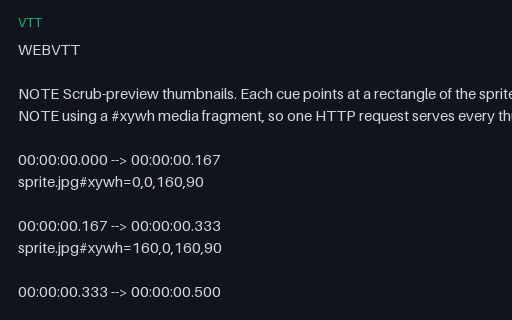
- vttThumbnail Track: WebVTT Sprite IndexThe WebVTT half of a scrub-preview pair: each cue covers a slice of the timeline and its payload is a media-fragment URL naming a rectangle of the sprite sheet. This is how seek-bar previews are delivered in practice, and the #xywh fragment syntax is the part players implement inconsistently: some resolve it relative to the VTT, others to the page, and some ignore the fragment entirely and show the whole sheet.
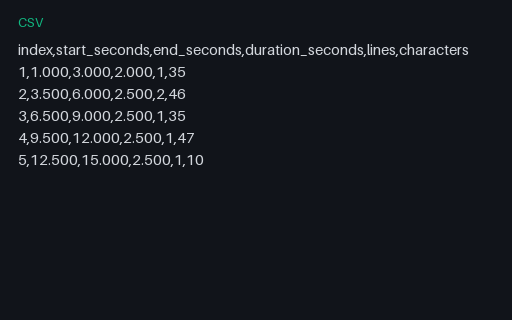
- csvCSV: Cue Timing ReportPer-cue timings and text metrics for the shared cue list, as a caption QC tool would export them: start, end, duration, line count and character count. Useful as the expected output when testing a caption analyser, and as a quick way to check reading-rate calculations against known values.
- m4sDASH VOD: Init Segment (init-stream0.m4s)A DASH initialisation segment carrying codec configuration for one representation. Named by the manifest's $RepresentationID$ template, so this file also exercises whether a client resolves template variables correctly rather than pattern-matching filenames.

- m4sDASH VOD: Init Segment (init-stream1.m4s)A DASH initialisation segment carrying codec configuration for one representation. Named by the manifest's $RepresentationID$ template, so this file also exercises whether a client resolves template variables correctly rather than pattern-matching filenames.

- m4sDASH VOD: Init Segment (init-stream2.m4s)A DASH initialisation segment carrying codec configuration for one representation. Named by the manifest's $RepresentationID$ template, so this file also exercises whether a client resolves template variables correctly rather than pattern-matching filenames.

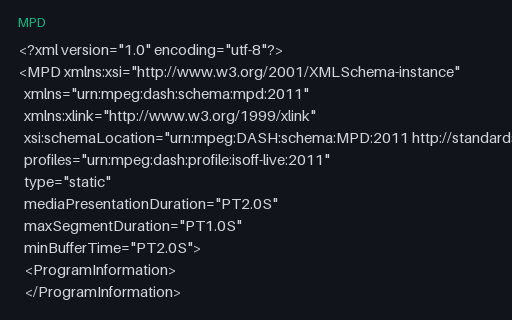
- mpdDASH VOD: Manifest (Playable Package)A complete, playable MPEG-DASH manifest for the same 320x180 at 300 kbps, 480x270 at 700 kbps, 640x360 at 1400 kbps ladder as the HLS package, produced from the same encoder run, so the two can be compared directly as packaging rather than as content. Every segment it references exists in this group. Served inline as application/dash+xml with permissive CORS, so dash.js can load it cross-origin.